
Knowledge base
How to use the Rebilling Dashboard
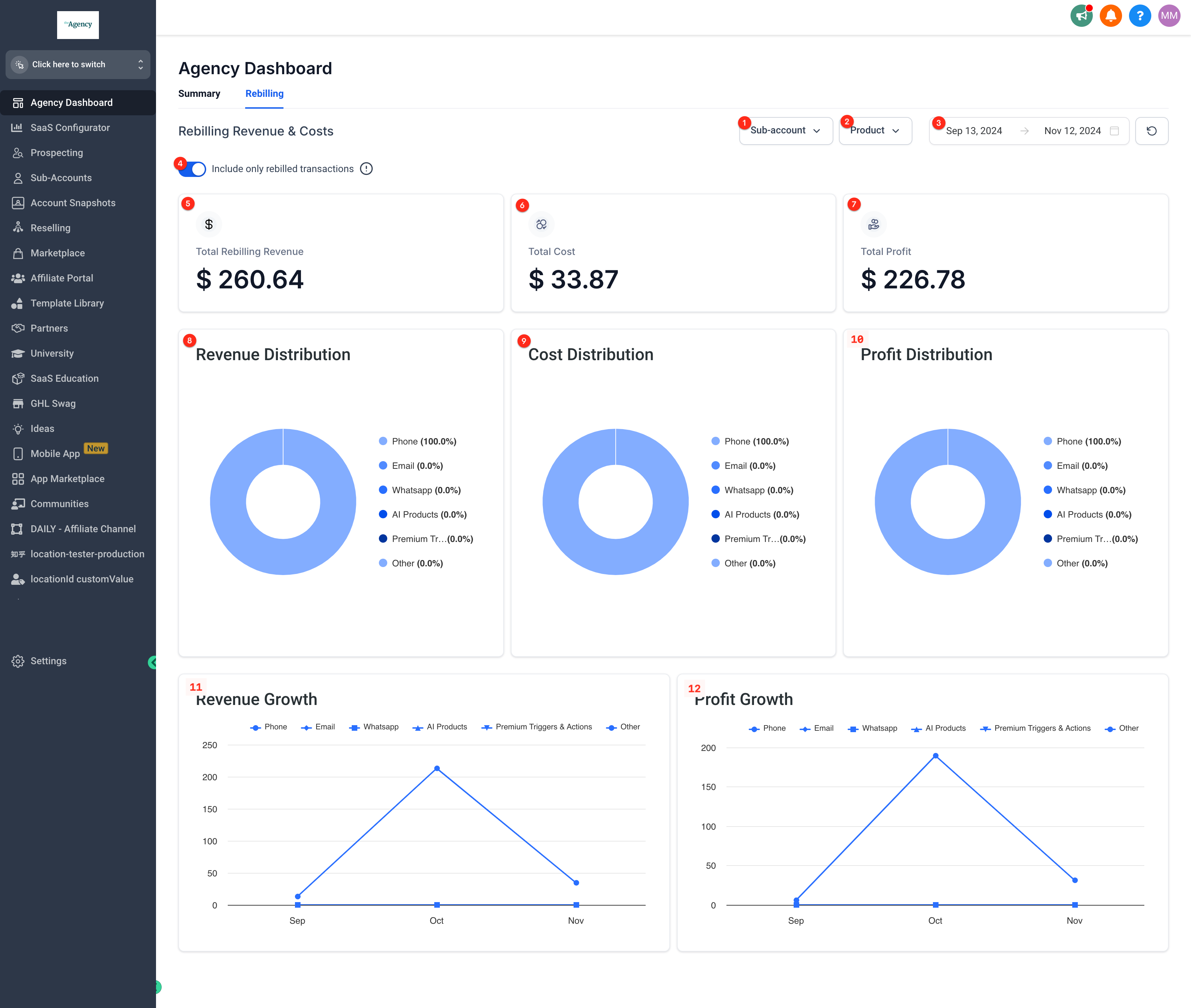
Go to your Agency account and click Agency Dashboard > Rebilling tab.
Filter by Subaccount
Filter by Product
Filter by Dates
Toggle only rebilled transactions
(enabling this will exclude all
transactions where your client was not
rebilled from the calculations)
Total Rebilling Revenue
Total Usage Costs
Total Gross Profit
Revenue Distribution
Cost Distribution across
all products
Profit Distribution across
all products
Revenue Growth
Profit Growth
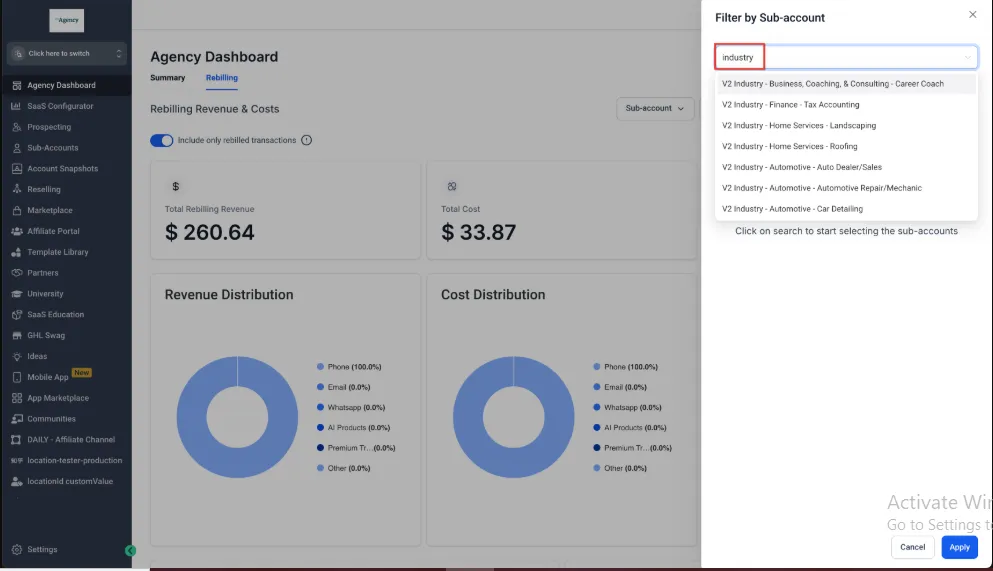
To filter by subaccount, click on the subaccount dropdown and searc
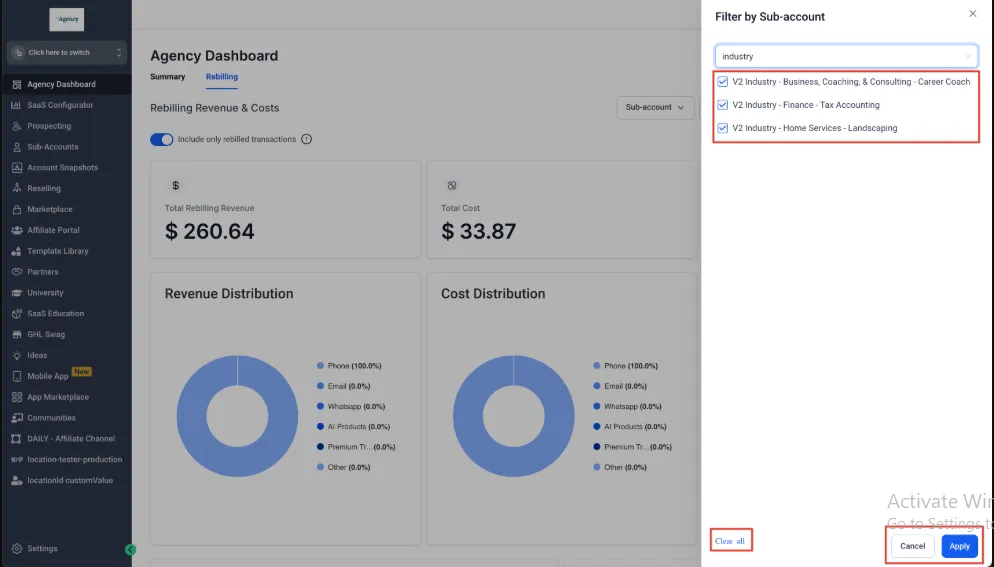
You can select more than one subaccount or clear all. Click apply to return to the dashboard with the filter(s) active.
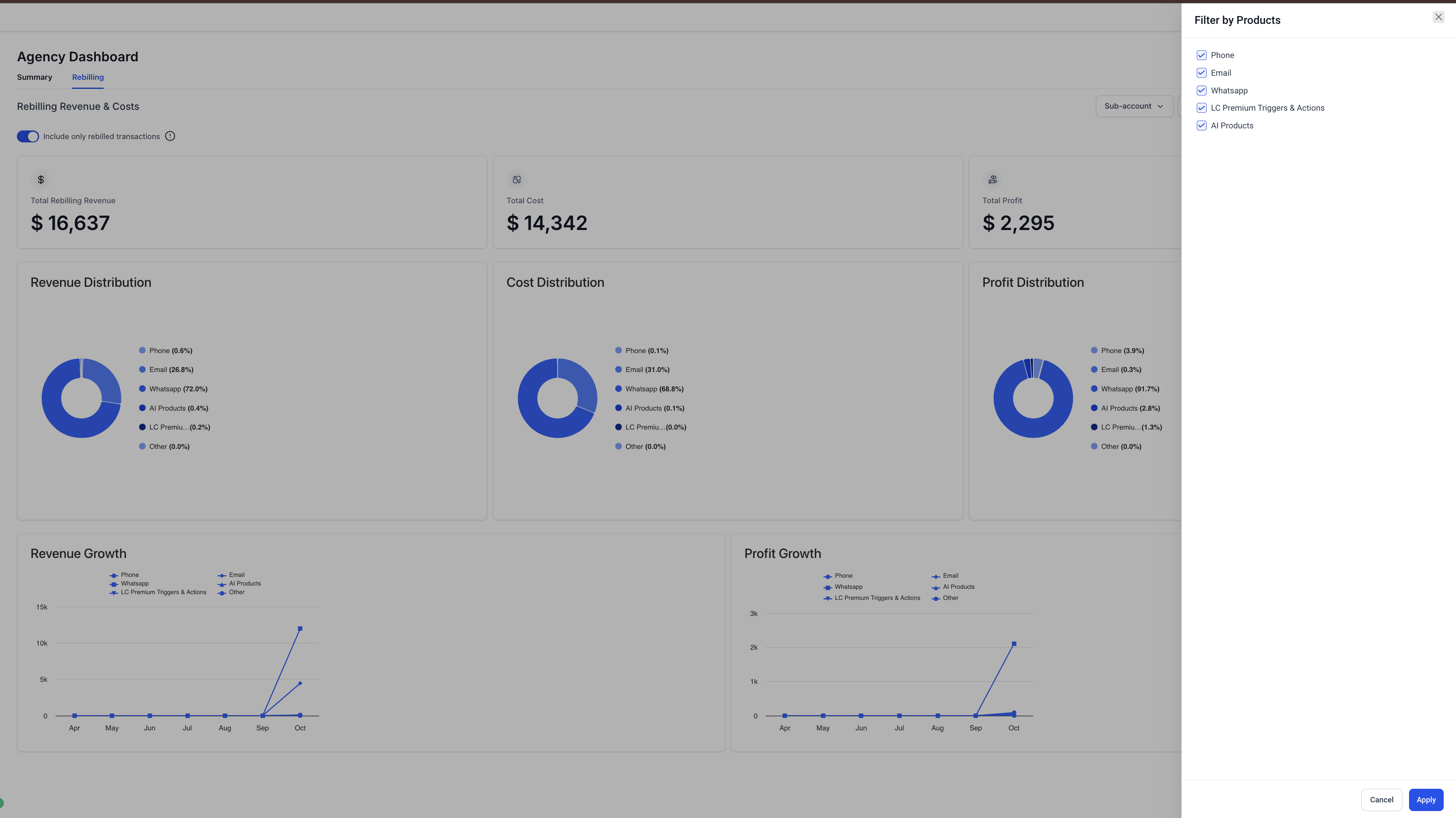
You can filter by products by clicking the Product dropdown.
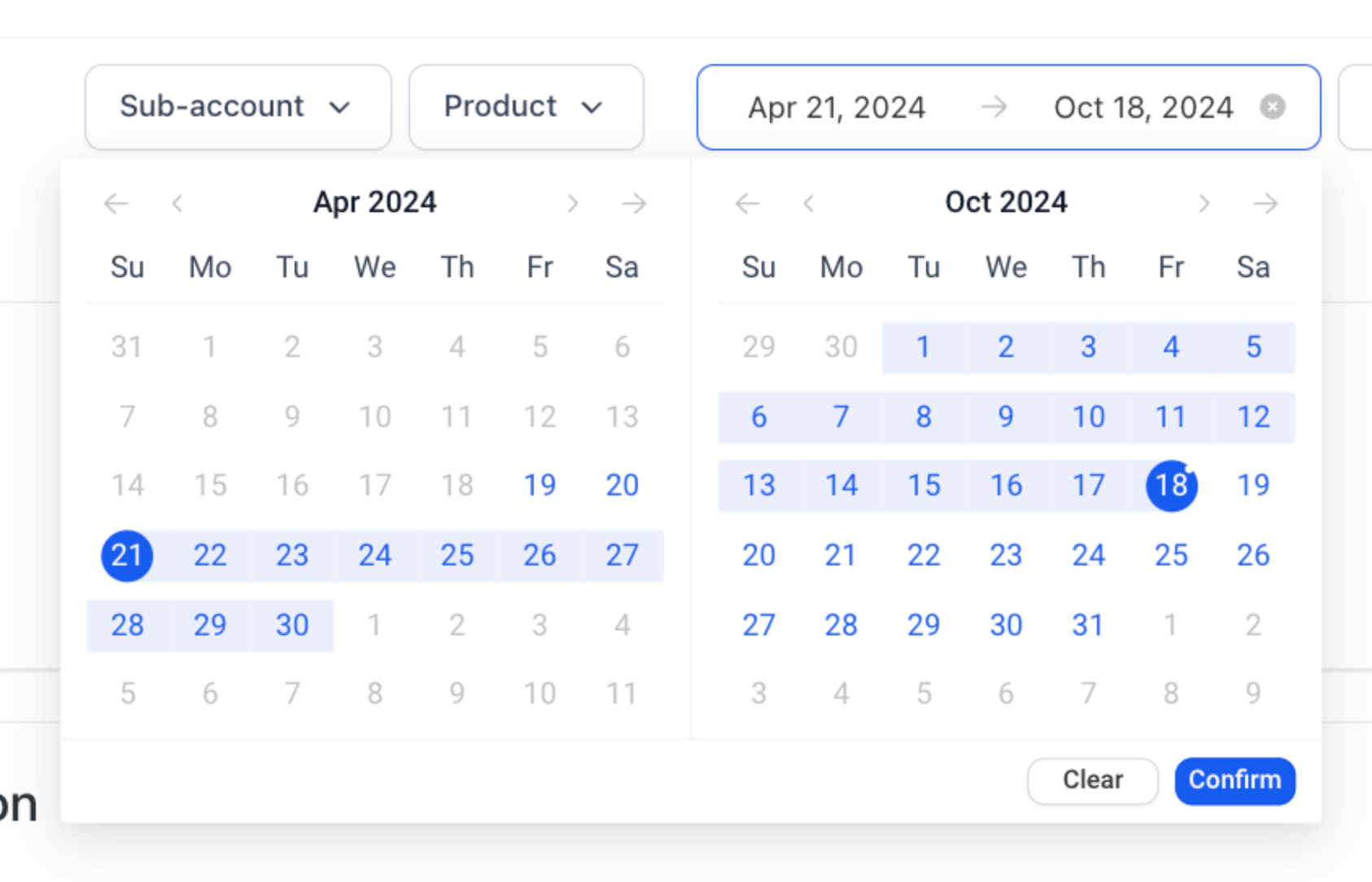
You can also filter by dates using the calendar picker. Click confirm to apply.
How do I check my agency plan?
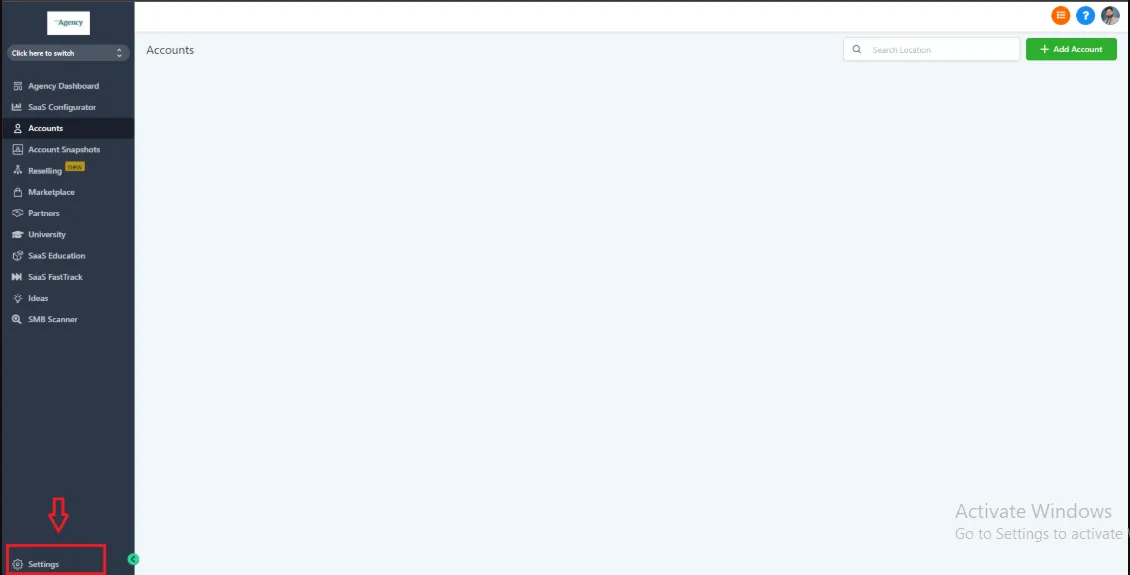
To check your agency plan please go to agency level view -> settings
Go to billing option in the left menu and your agency plan will be shown like this
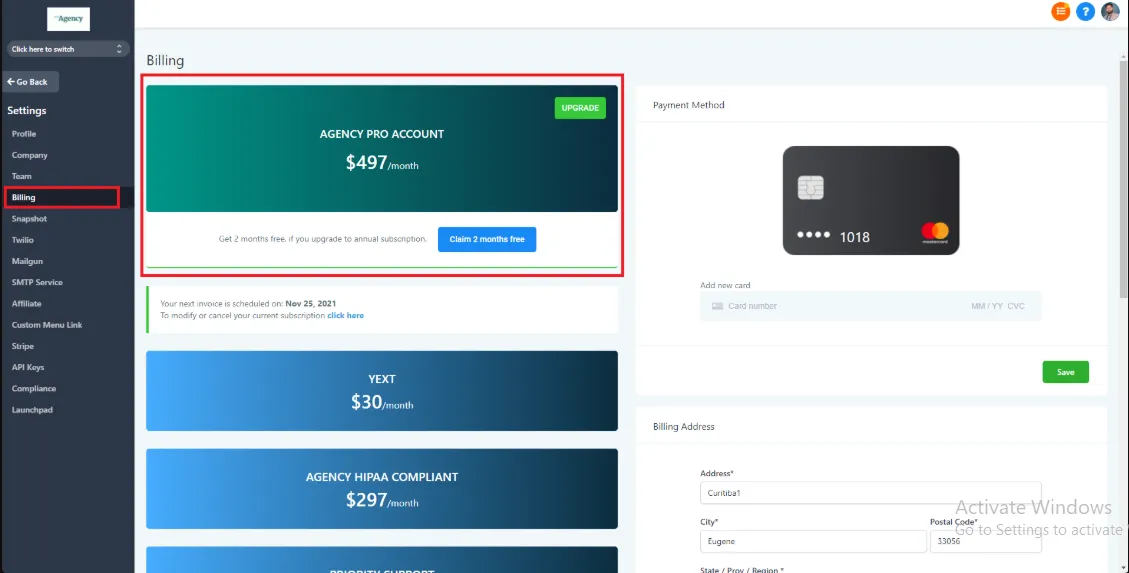
For example, in this case this agency is on the $350Pro plan.
FOLLOW US


CUSTOMER CARE
LEGAL & COMPANY
Copyright 2025. ScaleMaestro. All Rights Reserved.