
Knowledge base
What Are Conversation Filters?
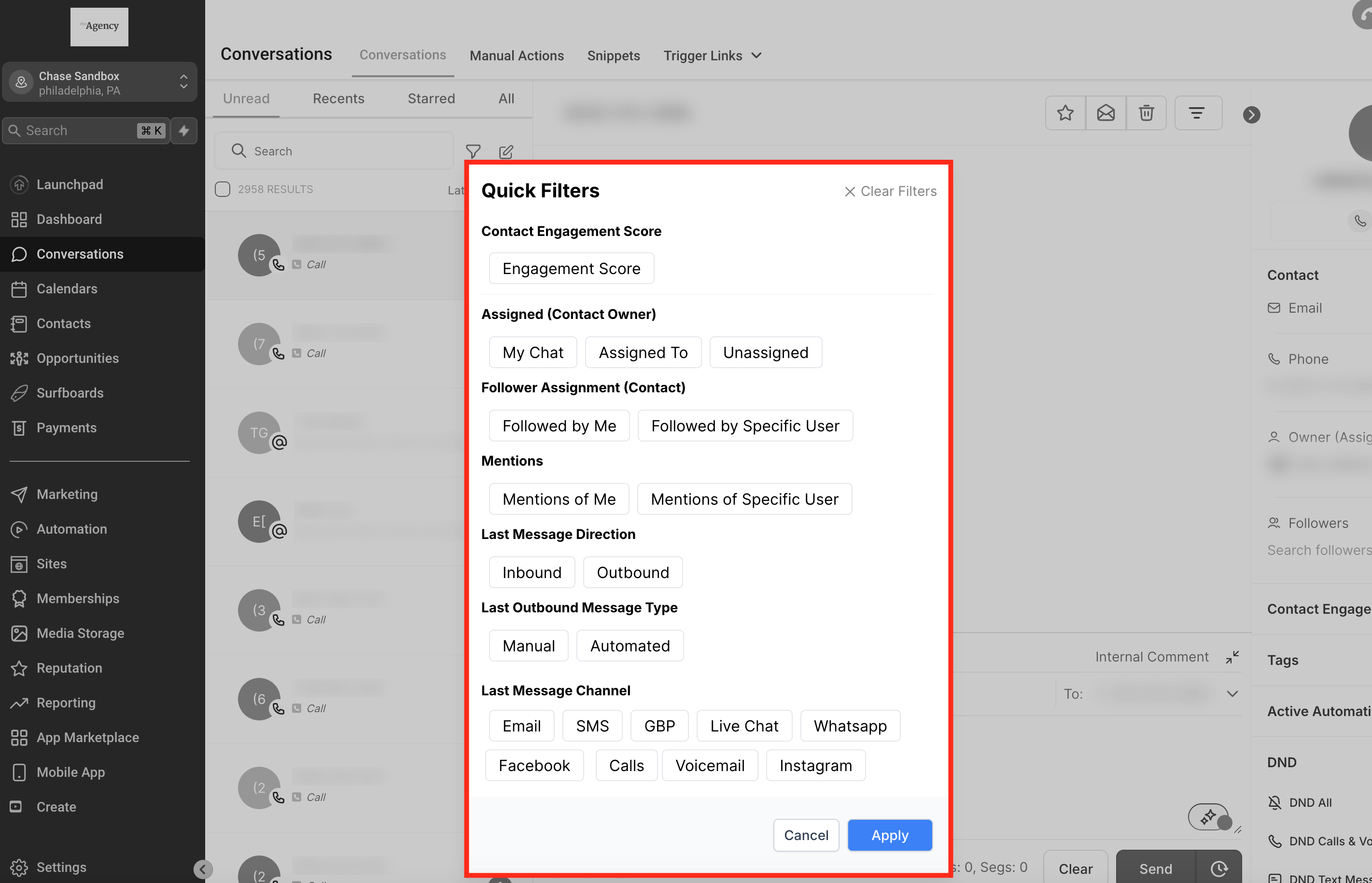
Conversation Filters are a powerful feature that helps users organize and streamline their communication workflow. By allowing you to categorize and locate conversations based on specific criteria such as message type, assignee, or date, filters make it easy to prioritize and manage interactions efficiently. They enable you to stay organized, respond promptly, and manage your communication channels with ease.
Filters help you quickly find specific conversations by:
. Contact Engagement Score
. Assigned (specific team member)
. Follower Assignment
. Last Message Channel/Type/Direction (e.g., inbound/outbound)
. Last Outbound Message Type (e.g., manual/automated)
. Last Message Channel(e.g., SMS, Email)
Benefits of Conversation Filters
Understanding the advantages of using conversation filters can help you maximize their potential, allowing you to save time on repetitive tasks to enhancing collaboration within your team.
. Efficiency: Save time by managing multiple conversations with just a few clicks.
. Organization: Easily filter conversations by type, assignee, or status.
. Collaboration: Use internal comments and mentions to improve team communication.
. Flexibility:Customize filters to meet your specific needs and preferences.
Applying Conversation Filters
Filters are a versatile tool that help you customize the conversations view to suit your specific needs. Applying filters is quick and easy, and will help you locate relevant conversations based on various criteria, improving your response time and overall efficiency.
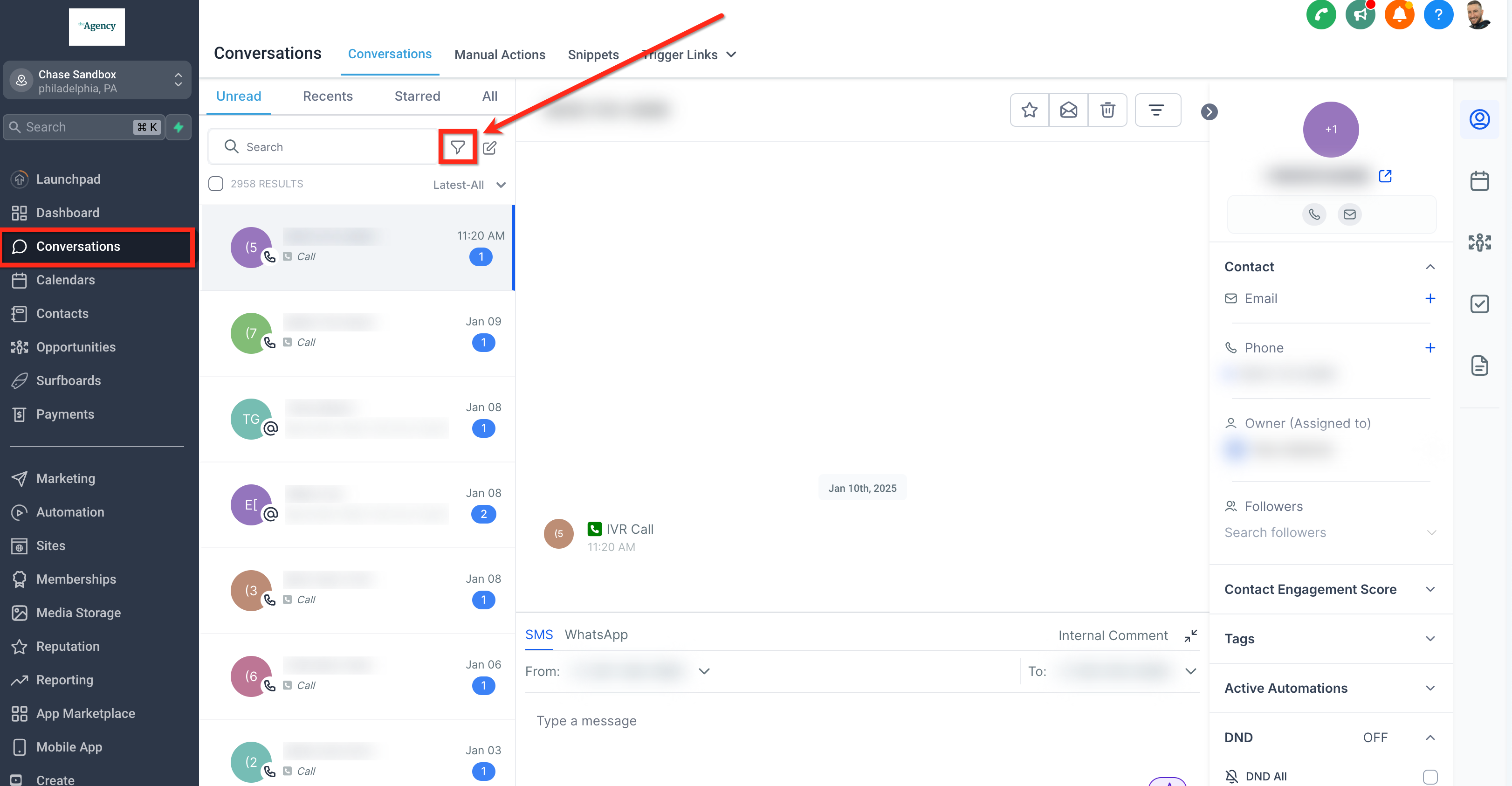
1. Click on theFiltericon in the Conversationspanel.
2. Select the criteria you want to filter by.
3. The conversations will update based on your selected filters.
Sorting Conversations
Sorting options allow you to arrange your conversations in a way that’s most convenient for you. There are multiple available sorting methods, ensuring you can always find what you’re looking for quickly.
You can sort conversations by date to quickly find the latest or oldest messages:
1. In the Conversations panel, click on the Sort dropdown menu.
2. Choose eitherNewest to OldestorOldest to Newest.

Starred Conversations
Starred conversations are a simple yet effective way to highlight and revisit important messages, helping you keep track of high-priority interactions with ease.
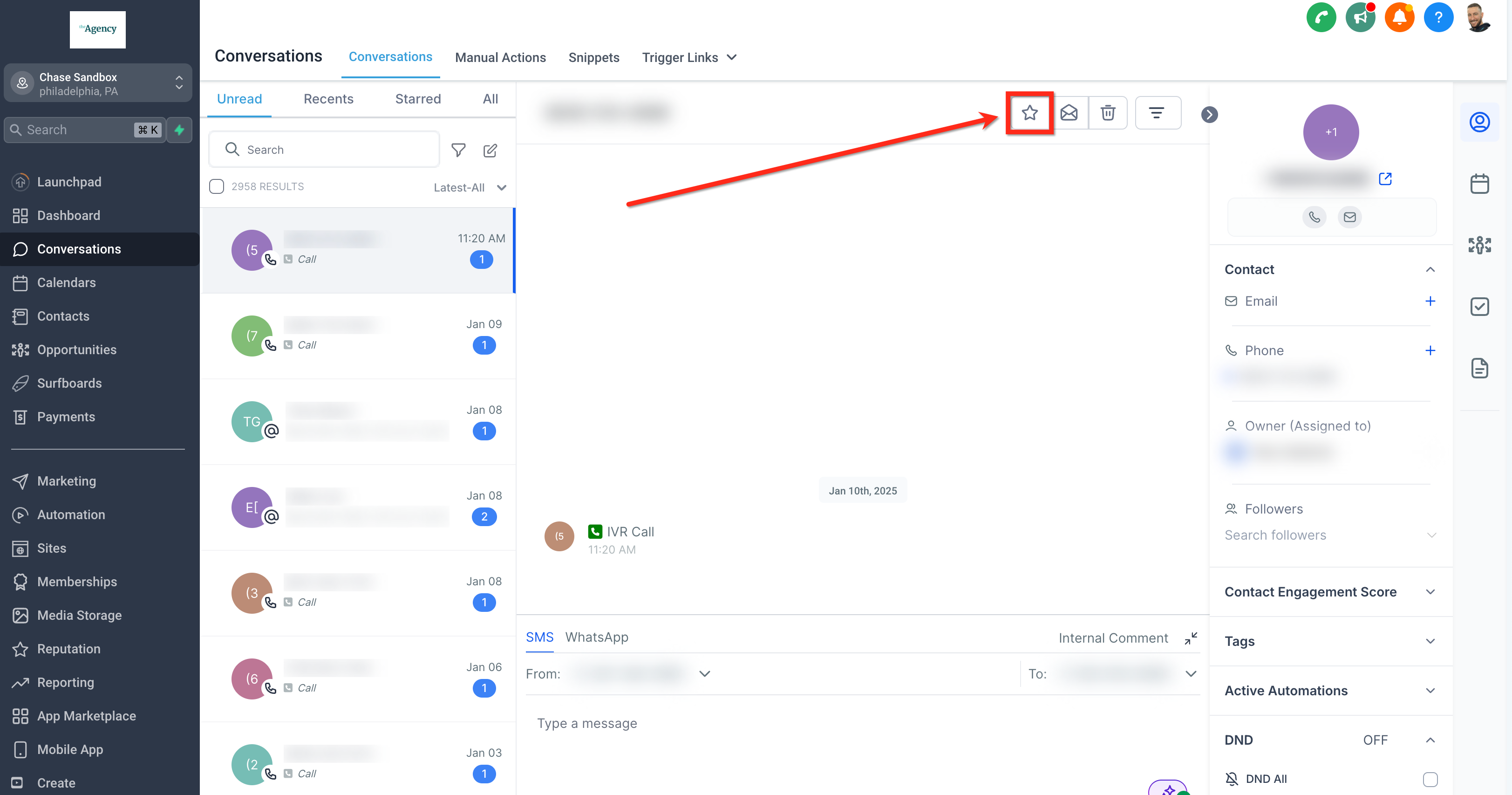
Star important conversations to easily find them later:
1. In theConversationspanel, click theStaricon next to a conversation.
2. To unstar, click theStaricon again.
Managing Multiple Conversations
Handling a high volume of conversations can be challenging, but with multiple "conversation actions", you can efficiently manage multiple conversations simultaneously, helping you maintain control and organization in a busy environment.
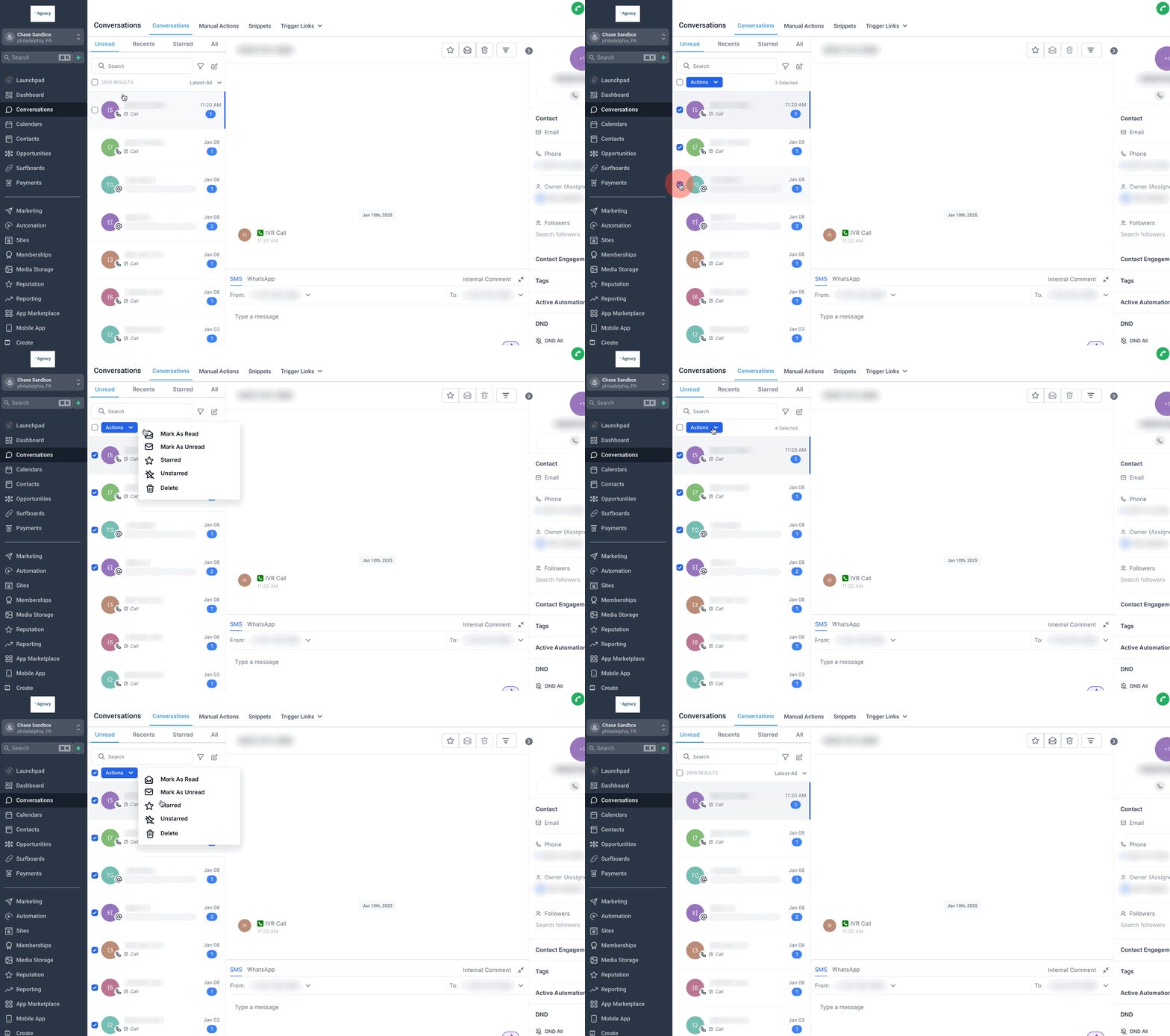
Managing multiple conversations at once is easy with these steps:
1. In the Conversations panel, select the conversations you want to manage (up to 100 at a time).
2. Choose from the following actions:
. Mark as Read/Unread
. Star/Unstar
. Delete
FOLLOW US


CUSTOMER CARE
LEGAL & COMPANY
Copyright 2025. ScaleMaestro. All Rights Reserved.